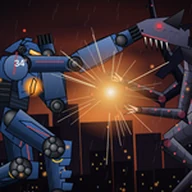

Kaiju Breach Not Working on PC: What to Check

A short player comment on the release listing says Kaiju Breach does not work on PC. Short reports are hard to diagnose, but the browser build gives a clear order of checks: the page, the browser, the extensions, and only then the game itself.
This guide follows that order. Most page problems are browser problems, and browser problems have browser fixes. The game is the last suspect, not the first. Kaiju Breach game
On this page
Check the Page First
- Confirm the listing page loads fully, with the game frame visible, before clicking anything.
- Reload the page once and wait for the load to finish; a half-loaded game looks broken and is not.
- Try a second, current browser with no extensions running.
- Disable content blockers for the listing page and try again.
If the Page Loads but the Game Does Not
If the listing loads and the game frame stays blank or frozen, the remaining checks are device-side: restart the browser, restart the PC, and try the listing in a private window, which rules out cached data and extensions in one step. If the game still does not run, the report on the listing is the right place to add the browser name, the operating system and the exact symptom, since that detail is what a developer needs to reproduce a problem. controls that do not respond
Frequently Asked Questions
Is there a PC version?
The current listing shows HTML5 and Android. A Windows build appeared in an earlier indexed copy of the listing, but the current listing does not show one.
Does the browser build need a plugin?
No plugin is mentioned on the listing. A current browser is the requirement, and no extra software is claimed.
Should I install the Android build on PC?
No. The Android build is for Android devices. On a PC, the browser build is the listed path.