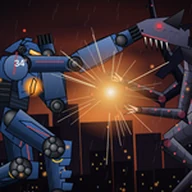

Kaiju Breach Mobile Controls: Walking and Movement

The most useful question on the release listing is also the simplest: how can I walk on mobile? It is useful because it proves the touch controls are not obvious to every player, and honest because the listing itself documents no control scheme at all.
This guide does not invent a button map. It covers the experiment that finds the controls, the checks that rule out device problems, and the point at which a player should conclude the build, not the phone, is the problem. Kaiju Breach APK for Android
On this page
Finding the Controls
Start in the browser build, on the phone, with Kaiju Breach fully loaded. Touch and drag on the open play area, one gesture at a time, and watch the jaeger before trying a second gesture. Note what responds: movement, turning, or nothing at all. Repeat the same gesture in a second spot on the screen, since touch areas in small games are not always where a player expects them.
If a gesture works once and then stops, the likely cause is the level or the browser, not the gesture. Reload the page, wait for the load to finish, and try the same gesture again before changing anything else. the first session
Checks When Nothing Moves
- Confirm Kaiju Breach has loaded fully; a half-loaded page often looks playable and is not.
- Turn off power-saving mode, which throttles browser pages on many phones.
- Try a second browser, with extensions disabled, on the same phone.
- Rotate the phone and try again, in case the touch area follows the orientation.
- Restart the phone if the browser itself has grown sluggish.
Frequently Asked Questions
Is there a joystick on screen?
The listing shows no control layout, so no on-screen control is described here as fact. What appears on screen in play is part of the experiment this guide describes.
Do keyboard controls work on mobile?
The listing documents no keyboard scheme either. A keyboard attached to a phone is untested territory for this game, and no claim is made about it.
Is movement broken?
Not necessarily. Undocumented controls and throttled browsers produce the same symptom as broken movement, and the checks above separate those causes.