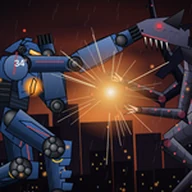

Playing Kaiju Breach in a Browser

The HTML5 build is the fastest way to meet Kaiju Breach. It plays in a browser, with no install, no store account and no file to manage. For a game with a short listing and no documented controls, that immediacy is a real advantage: the first session can be a test, not a commitment.
Browser play is also the best diagnostic tool available. If the game runs well in the browser but not as an installed build, the build is the difference. If it runs poorly in both, the device or the busy levels are the likelier cause. Kaiju Breach game
On this page
How It Works
Open the listing in a current browser and play where Kaiju Breach opens. There is nothing to download and nothing to update by hand: the version on the listing is the version that loads. Closing the tab ends the session, and reopening the listing starts it again.
That simplicity has a cost. Browser play needs a connection, and the browser's own throttling, extensions and power-saving behaviour all sit between the player and Kaiju Breach. The troubleshooting guides on this site start there for exactly that reason. a first browser session
Limits to Expect
- A connection is needed, since the game loads from the listing page.
- Browser extensions and power-saving modes can throttle or block the game.
- Touch controls are not documented, so the first browser session on a phone is partly an experiment.
- Busy levels slow down, in the browser as elsewhere, according to player reports.
Frequently Asked Questions
Does browser play need an account?
The listing shows no account requirement. Play opens from the listing page itself.
Is browser play the full game?
The listing presents the HTML5 build as a platform build, not as a demo. No demo or trial label appears on the listing.
Does progress save in the browser?
The listing says nothing about saving, so no saving behaviour is claimed here.